Home / Cities and public spaces / Public safety video analytics
Public safety video analytics that gets the right team on scene sooner.
Nobody can watch every crossing, square and underpass at night, so risks are often seen after the fact. ZoneIntel AI runs public safety video analytics on your cameras and sends each event to the team on duty.
Privacy commitments
Public safety analytics count people and never identify them. These limits are set in the product.
What is detected
People, vehicles and objects as types, with counts, places and times. People are counted and never identified.
What is never stored
Public safety analytics keep no face templates, identity records or watch lists of people.
Where video stays
Video is processed on servers the city controls, and data can stay in-country.
Who can see it
Access is set by role and area, and every view and export is logged.
People are counted and never identified
On a concourse or square, ZoneIntel counts people and tells walking people from standing groups. Faces are blurred in every clip.
Events and owners
Each event type has one team that owns it. The city sets the list and the hours for each place.
| Event | Sent to |
|---|---|
| People on a crossing against the signal | Traffic operations |
| Vehicle on a footpath or plaza | Area safety officer |
| Crowd forming late at night | Duty manager for the area |
| Person in a closed area after hours | Facility or park team |
| Object left in an underpass | Area safety officer |
| Lighting out on a camera view | Public works |
Results
| Result | Pilot measure |
|---|---|
| The right team on scene sooner | Minutes from event to the team on scene |
| Fewer hours watching screens | Operator hours on live viewing, before and after |
| Repeat spots fixed | Repeat events per location, month on month |
Officers spend less time watching screens and more time where people need them. Places with repeat events get a lasting fix.
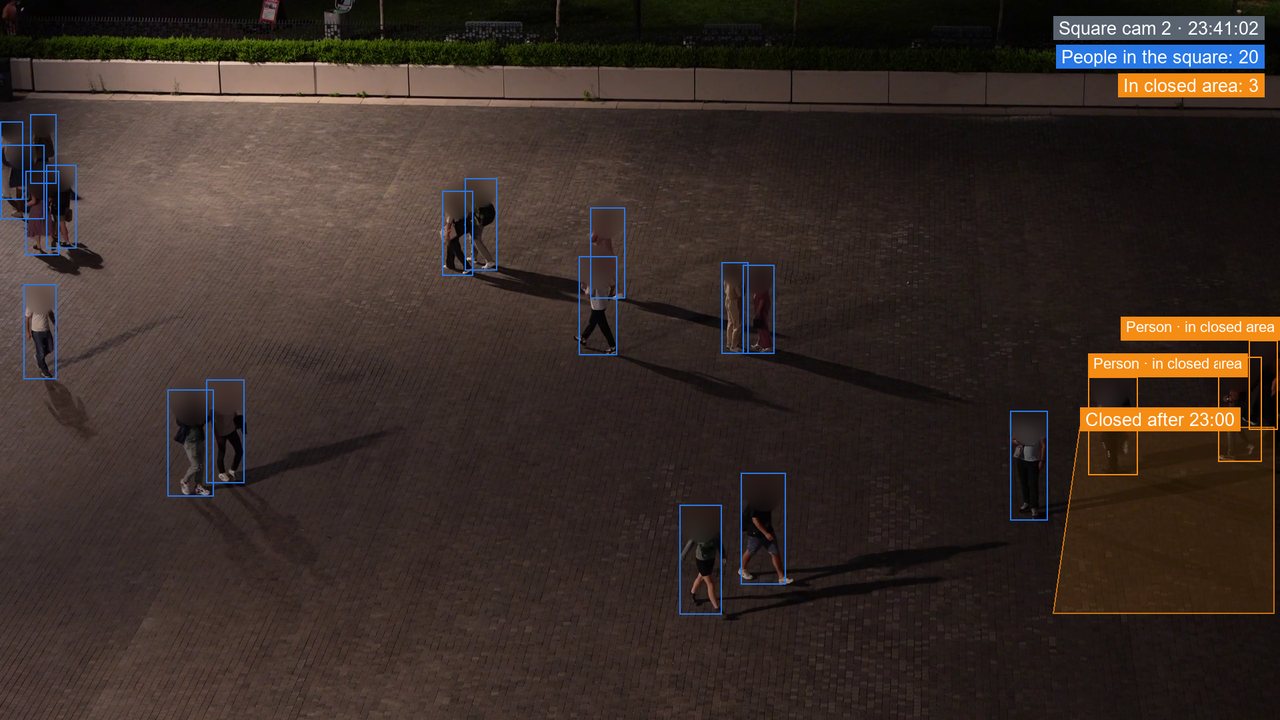
Three people have walked into the east side of the square, which is closed after 23:00 for cleaning.
How an event closes
Each event closes with a photo from the same camera showing the place clear. Repeat events at one place become a work order.
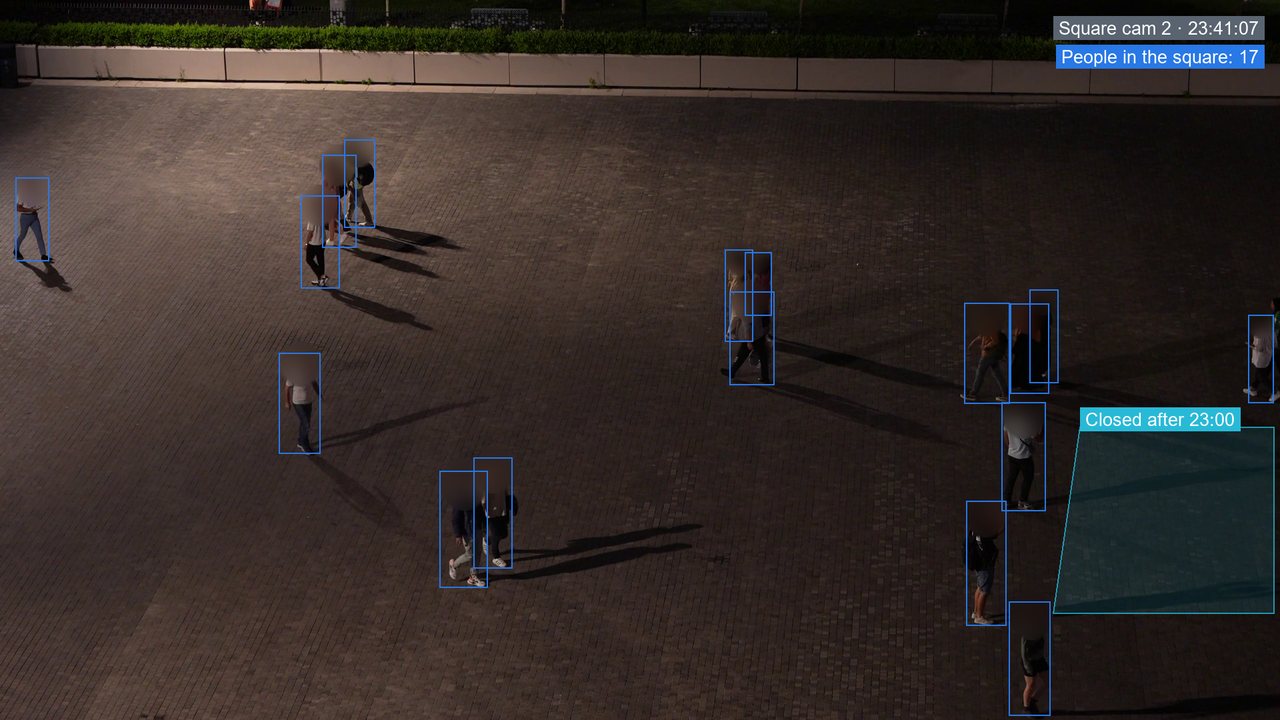
- 23:41Three people walk into the east side after closing.
- 23:41Area safety officer alerted with the clip.
- 23:44The officer asks them over the speaker to leave the cleaning area.
- 23:46Area clear on the same camera, event closed with the photo.
Questions about public safety video analytics
What is public safety video analytics?
Public safety video analytics finds events on city cameras that put people at risk and alerts the team responsible. Examples are people crossing against the signal or a vehicle on a footpath. ZoneIntel does this without identifying anyone.
Does ZoneIntel AI use face recognition?
Public safety analytics on city cameras run without face recognition and keep no watch lists of people. They count people, vehicles and objects and report where and when. This helps the city's privacy review.
Who sees the alerts and the footage?
Only staff the city names can see them, by role and area. Each alert goes to the team on duty for that place. Every view and export of a clip is logged for the city's audit.
Can police use ZoneIntel AI clips?
The city decides what is shared and with whom, under its own policies and the law. ZoneIntel exports a clip with its case log, and the export is recorded in the audit trail.
Which events can it detect at night?
Night detection works where the camera has street lighting or infrared. People and vehicles on crossings, footpaths and closed areas are found at night. The footage review checks each view first.
Related use cases
See also person-down detection and loitering detection.
Event review on your own cameras
Share a night of footage from one square or junction through a secure link. We send back the events ZoneIntel AI would have raised, with clips.