A voice warning tells intruders to leave before an officer is sent.
Most intruders leave when they know they have been seen. ZoneIntel AI checks each alarm on camera, then plays a voice warning through the speakers at your site. Your officers go only when the person stays.
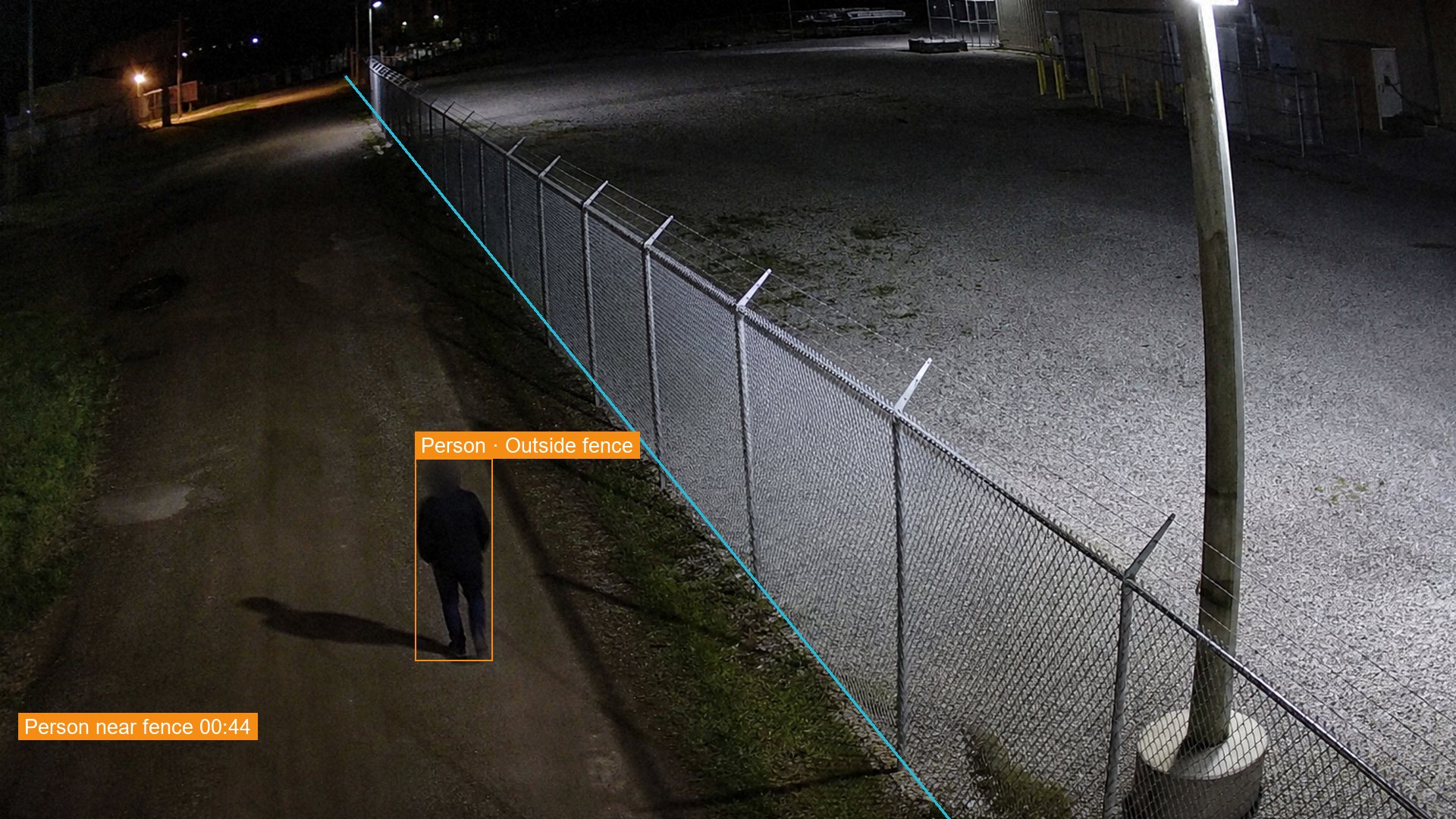 N-07 North fence, 02:14:05
- 02:14:05Person detected outside the north fence.
- 02:14:09Scene checked: one person, missing from tonight’s work list.
- 02:14:15Voice warning on speaker N-07:
This is a restricted site. You are on camera. Leave the area now.
- 02:14:52Same camera: the person walks away from the fence.
- 02:16:10Closed with the clip. No officer was sent.
How audio talk-down works
The warning plays only after the alarm is verified, so staff and wildlife never trigger it.
- The alarm is verifiedZoneIntel checks the scene on camera and confirms a person is in a restricted area.
- The warning playsA recorded or live voice message plays on the speaker nearest that camera.
- The camera checks againThe same camera shows if the person has left or is still at the fence.
- Officers go if neededIf the person stays, the alarm goes to your control room, guard company or officer on duty.
What you receive
Each voice warning becomes part of the alarm record, with the time and the result.
- Warnings in your own wordsMessages are recorded per site, zone and language.
- A record of each warningThe time it played, the speaker used and what the camera showed next.
- Fewer call-outsOfficers are sent to the people who stay after the warning.
- A monthly countAlarms ended by a voice warning, by site and by hour.
Questions about audio talk-down
What is audio talk-down on CCTV?
Audio talk-down is a voice warning played through a speaker near the camera. It tells a person that they are on camera and must leave. ZoneIntel plays it only after the alarm has been verified on camera.
Do we need new speakers?
ZoneIntel uses the horn speakers or camera speakers already on your network. Where a fence line has no speaker, your integrator adds an IP speaker near the camera. We list the gaps after a review of your site plan.
Can an operator speak live?
Your operator can speak live through the same speaker from the control room. Many sites start with a recorded message and let the operator take over when the person stays.
What if the person ignores the warning?
The alarm goes to your control room, guard company or officer on duty with the clip. The record shows that the warning played and that the person stayed. Your own response steps then apply.
Hear a voice warning on your own fence line.
Send one night of footage and your site plan. We show which alarms a voice warning would have covered.